Invoice line
Invoice line
An invoice line correspond to the accouning lines for the invoice. You can define several accounting lines for an invoice but the sum of each line amount cannot exceed the invoice amount. This is enforced in the web interface and the REST API; once a usage quantity is entered, raise the invoice amount if needed.
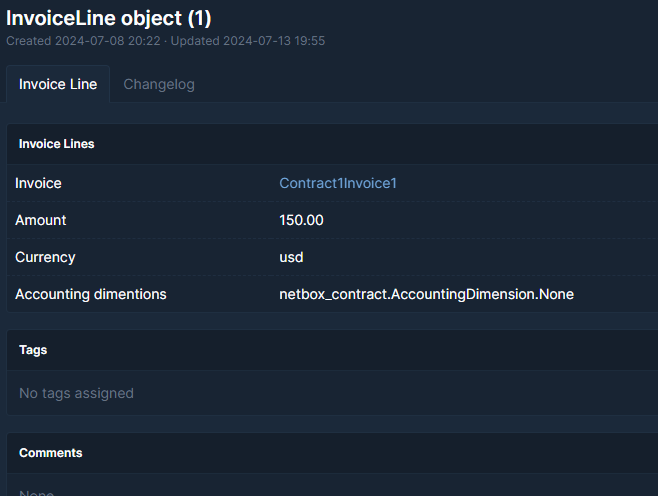
- Invoice: The corresponding invoice.
- Contract line: the contract line the invoice line comes from (optional). It must belong to the contract of the invoice or to one of its non-billable descendants.
- Unit and unit price: default to those of the contract line and can be changed on the line, for example to grant a discount on one invoice; the contract line is not changed. A line without contract line can have them too.
- Quantity: the quantity invoiced.
Once the invoice is posted, the unit, unit price, quantity and amount of its lines can no longer change, and lines can no longer be added or deleted; their accounting dimensions, comments and tags remain editable. - Currency: the currency of the invoice. - Amount: always calculated from the quantity and the unit price, as in most ERPs (quantity x unit price for one-time and usage-based units; for recurring units, prorated to the invoice period as for the invoice pre-fill, or counted for one invoice frequency of the contract when the invoice has no period). It cannot be typed. The quantity defaults to 1 (to the quantity of the contract line for recurring and one-time lines; usage-based lines have no quantity until you enter it). For compatibility, an import or API call that gives only an amount creates a line with that amount as unit price and quantity 1. The amount is recalculated each time the line is saved, so change the invoice period before editing its lines. Whether you take into account VAT in this amount depends on the way your budget is contructed. - Accounting dimensions: The accounting dimensions for the invoice line, copied from the contract line when the line is generated. - Comments: Self explanatory